Midimate
Classic MIDI sequencing with the look and feel of a ’90s desktop orchestrator — Track/View, transport, and General MIDI on iPad.
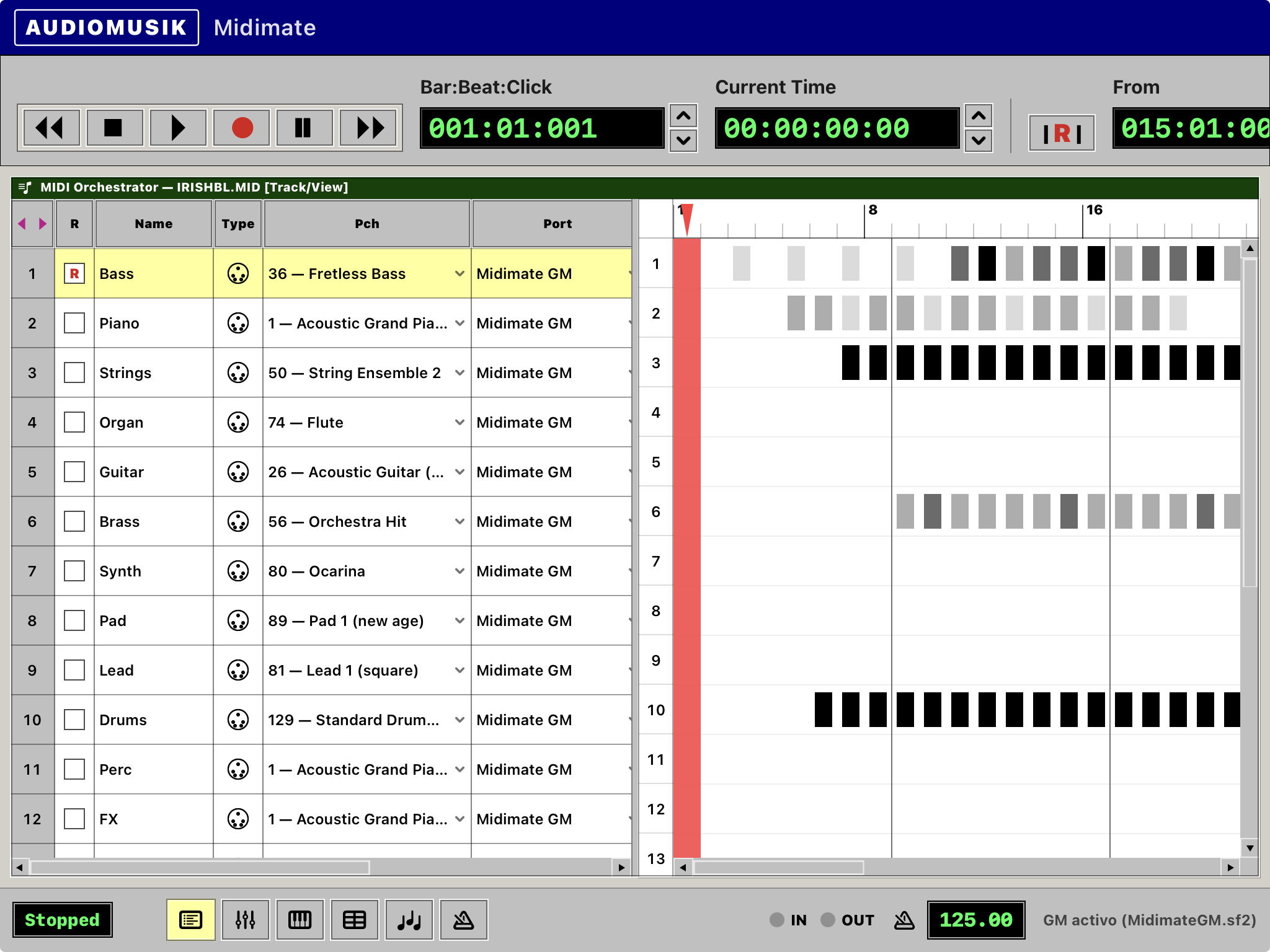
Track/View
Arrange songs the old-school way: track sheet on the left, bar activity on the right, solo/mute, patches, and punch-style workflow.
General MIDI
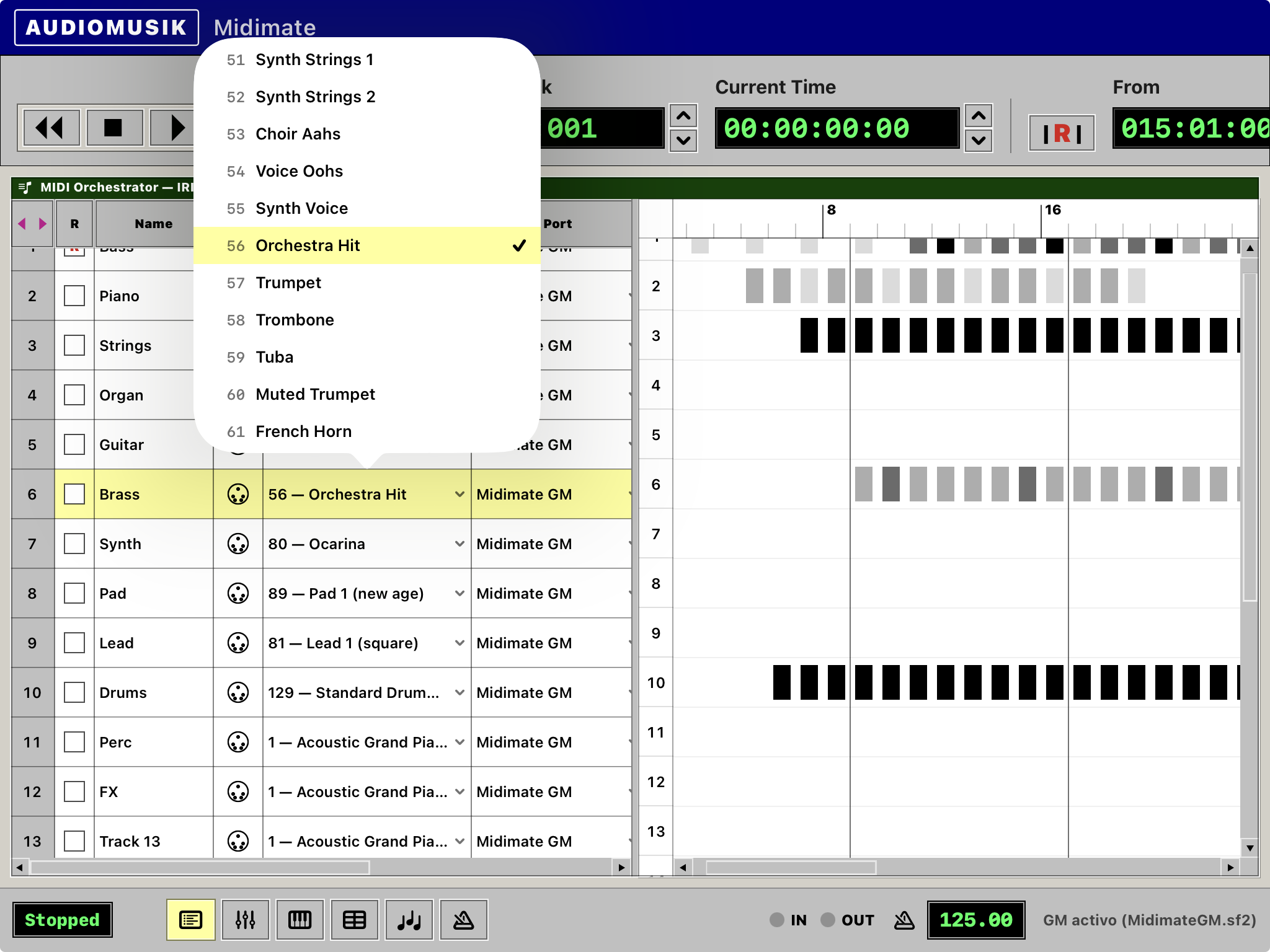
Built-in GM SoundFont playback — melodic channels plus a real drum kit on channel 10 — so your arrangement sounds without extra gear.
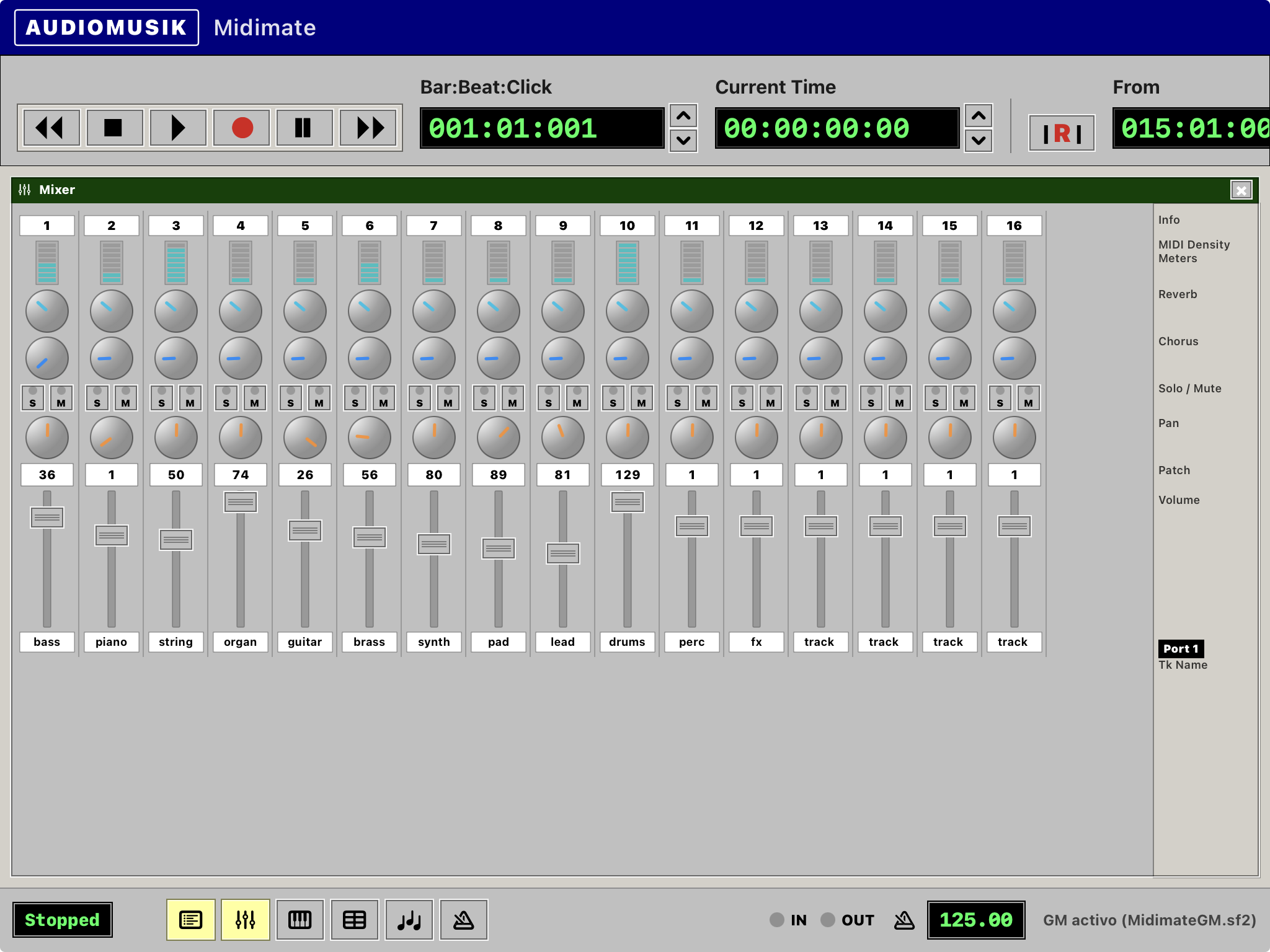
Mixer & mix controls
Per-track volume, pan, reverb, and chorus, plus a classic strip mixer for fast balance changes while you listen.
Transport you remember
Play, stop, record arm, loop/punch windows, tap tempo, and scrub the bar pane to jump anywhere in the song.
Midimate: MIDI Orchestrator for iPad
A MIDI sequencer for iPhone and iPad inspired by the golden age of Windows music software — the Track/View era of desktop MIDI orchestrators.
Midimate brings that gray chrome, green LCD counters, and dual-pane arrangement layout to a modern touch screen. Build multi-track GM songs with named tracks, program changes, channel routing, transpose, and a bar pane that shows how dense each measure is. Scrub the timeline, loop a section, tweak tempo with tap, and mix with per-row pan, reverb, and chorus.
Whether you’re sketching a GM demo, teaching MIDI structure, or chasing that Voyetra-era workflow on the couch, Midimate is built to sequence — not to fight the menu.
Features
- Classic Track/View layout: track sheet + bar activity pane
- Windows 95–style UI: chrome gray, green LCDs, MDI window chrome
- Multi-track MIDI arrangement with selectable tracks
- General MIDI SoundFont engine (
MidimateGM) - Melodic programs 1–128 + Standard Drum Kit (channel 10)
- Per-track mute, solo, volume, pan, reverb, chorus, transpose
- Channel and port assignment per track
- Transport: rewind, stop, play, record, pause, fast forward
- Position / punch From–Thru displays with loop and punch-record controls
- Tap tempo and fine BPM adjust
- Seek by tapping the measure ruler or bar pane
- Mixer window with channel strips and density meters
- Demo sequence (bass, piano, drums) to audition the engine
- Landscape-first layout for iPad
- Standalone app for iPhone & iPad
No ads, no subscriptions, no IAP: full instrument included.
Midimate is an original AudioMusik app — an independent homage to classic 1990s MIDI orchestrator software. Not affiliated with, endorsed by, or associated with Voyetra Technologies, Soft Landing Systems, or any other manufacturer. All trademarks belong to their respective owners.